
The Ultimate Guide to Conference AV Equipment
A complete guide to the audio, video, lighting, streaming, display, power, and show-control equipment used for professional conferences and corporate events.
Request a QuoteBack to ResourcesQuick Summary
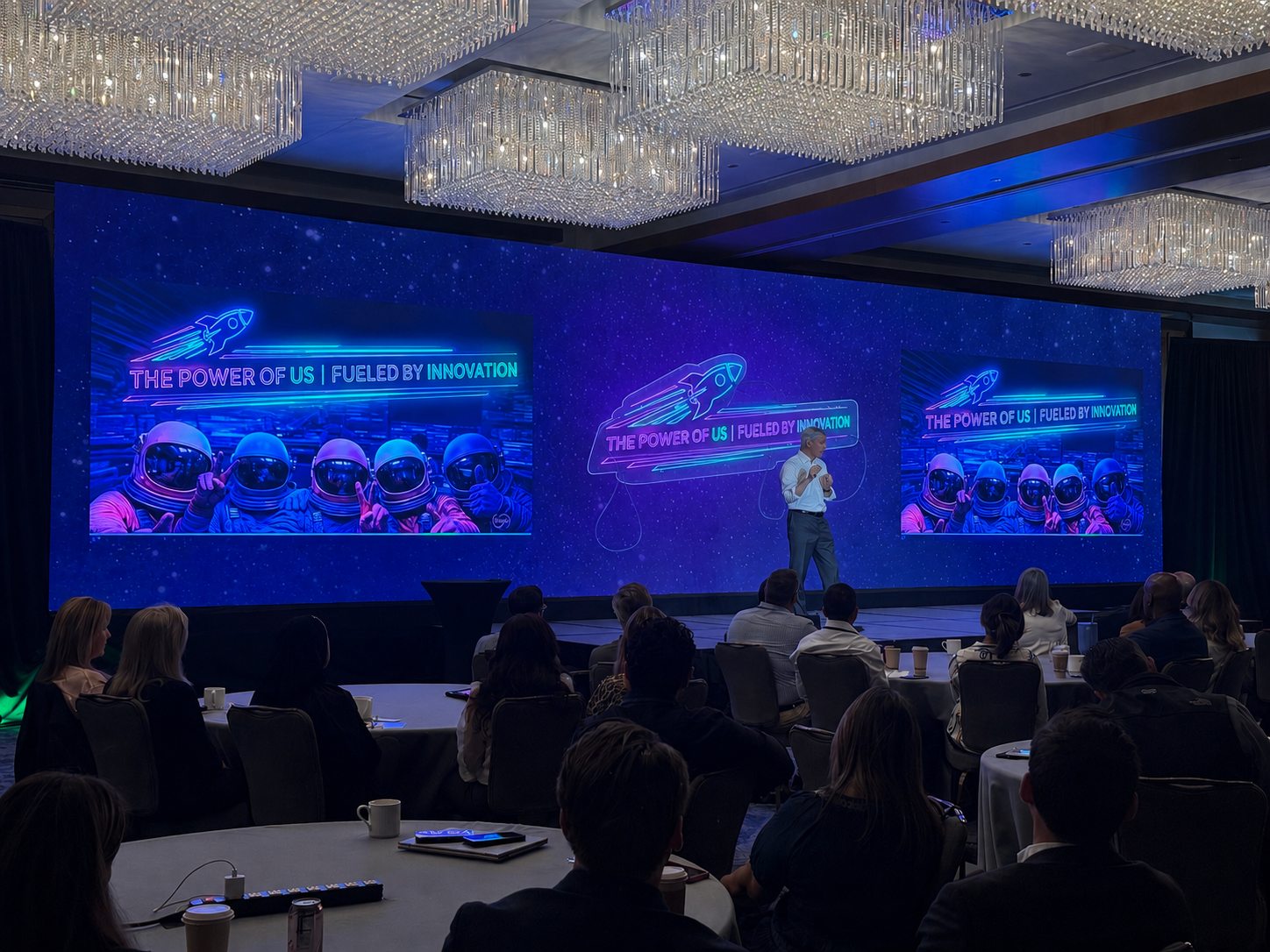
Conference AV equipment usually includes microphones, speakers, mixers, LED video walls or projectors, screens, switchers, presentation laptops, confidence monitors, cameras, livestreaming tools, lighting, staging, internet, power distribution, and the technicians who operate everything. The right setup depends on audience size, room layout, agenda, presenter format, content type, venue rules, and whether the event includes breakout rooms, recording, or hybrid attendance.
Conference AV equipment is more than a list of gear. It is the technical system that allows presenters to be heard, slides to be seen, video to play correctly, remote attendees to connect, and the entire event to feel polished. For a small meeting, the AV package may be simple. For a large conference, the setup can include a full audio system, LED video wall, camera package, livestreaming, lighting, confidence monitors, multiple laptops, and dedicated technicians.
At Colorado Live Events, we design conference AV systems for corporate meetings, general sessions, breakout rooms, trade shows, hybrid events, galas, and multi-day conferences throughout Colorado. This guide explains the most common equipment categories and how they fit together.
1. Audio Equipment
Audio is the foundation of most conferences. If the audience cannot hear clearly, the rest of the production does not matter. A professional conference audio system usually includes speakers, a digital mixer, wireless microphones, playback inputs, and monitoring for presenters or technicians.
- Main speakers for the audience
- Delay speakers for long rooms or wide ballrooms
- Digital audio mixer
- Wireless microphone receivers and antennas
- Laptop audio inputs for videos and walk-in music
- Recording or streaming audio feeds
2. Microphones
Microphone planning depends on the format of the event. A keynote may need one lavalier or headset microphone. A panel discussion may require several microphones. Audience Q&A may need handheld microphones or mic runners.
| Microphone Type | Best For | Notes |
|---|---|---|
| Handheld wireless | Q&A, announcements, moderators | Flexible and reliable for shared use. |
| Lavalier | Presenters and speakers | Clean look, but placement matters. |
| Headset | Active presenters | Often best for consistent speech level. |
| Gooseneck/table mic | Panels and podiums | Useful for seated or fixed positions. |
3. Displays: LED Walls, Projection, and TVs
Conference displays show slides, sponsor graphics, videos, camera feeds, branding, lower thirds, and virtual presenters. The best choice depends on the room, audience size, lighting, and budget.
LED Video Walls
Bright, high-impact displays for general sessions, sponsor content, and well-lit ballrooms.
Projection
Useful for smaller meetings or rooms where lighting can be controlled.
TV Monitors
Great for breakouts, confidence monitors, lobbies, registration, and sponsor loops.
4. Video Switching and Presentation Playback
When a conference uses multiple laptops, cameras, videos, sponsor graphics, or livestream feeds, a video switcher controls what appears on the screen. Presentation playback may include PowerPoint, Keynote, ProPresenter, video files, lower thirds, sponsor loops, and backup computers.
- Primary presentation laptop
- Backup laptop
- Video switcher
- Playback software
- HDMI, SDI, or network video routing
- Operator for cues and transitions
5. Confidence Monitors and Presenter Support
Confidence monitors allow presenters to see their slides, notes, timer, or next slide without turning around. This keeps the speaker facing the audience and improves the professionalism of the session.
6. Cameras and Recording Equipment
Cameras may be used for IMAG, livestreaming, recording, hybrid events, panel coverage, or sponsor recap videos. A small event may need one camera. A large general session may use multiple cameras and a dedicated video operator.
| Camera Use | Recommended Setup |
|---|---|
| Basic recording | One camera with direct audio feed. |
| Livestream | Camera, encoder, audio feed, monitoring, and internet. |
| Large general session | Multiple cameras with switching and screen integration. |
7. Livestreaming and Hybrid Event Equipment
Streaming requires more than a camera. It usually includes a reliable audio feed, encoder, streaming computer, platform setup, monitoring, dedicated internet, and backup recording. For remote presenters, the system may also need return audio, confidence video, and communication between the AV team and remote guests.
8. Lighting Equipment
Conference lighting improves speaker visibility, stage presence, video quality, and photography. Even a simple stage wash can make a conference look more professional. For higher-end events, lighting can also support branding, mood, awards, and sponsor moments.
- Front light for presenters
- Stage wash lighting
- Accent or uplighting
- Camera-friendly lighting
- Lighting control console
9. Stage, Scenic, Pipe & Drape, and Branding
AV equipment often works together with staging and scenic design. A stage may include risers, lecterns, pipe and drape, branded backdrops, LED walls, scenic panels, or sponsor graphics. The goal is to create a clear focal point for the audience and cameras.
10. Power, Cabling, and Internet
Power and cabling are not glamorous, but they are critical. LED walls, audio systems, lighting, projectors, switchers, and streaming stations all require safe and planned power. Internet is equally important for streaming, remote presenters, registration, cloud slides, and hybrid sessions.
11. Technicians and Show Crew
Equipment does not run itself. A successful conference may require an audio engineer, video engineer, lighting technician, LED technician, camera operator, streaming operator, stagehand, or technical director. The crew size depends on the event scope.
Conference AV Equipment Checklist
Use this as a starting point when planning your event.
Audio
Speakers, microphones, mixer, playback, Q&A mics, recording feeds, and wireless coordination.
Video
LED walls, projection, TVs, switchers, laptops, confidence monitors, cameras, and playback.
Production
Lighting, staging, power, internet, cabling, technicians, rehearsal time, and backup equipment.
Conference AV Equipment FAQ
Common questions about equipment for corporate conferences.
What AV equipment is needed for a conference?
Most conferences need speakers, microphones, a display system, presentation playback, lighting, and technicians. Larger events may also need LED walls, cameras, livestreaming, recording, confidence monitors, and breakout room systems.
Do I need an LED wall or projector?
LED walls are best for bright rooms, large audiences, sponsor content, and premium visuals. Projection can work well for smaller rooms with controlled lighting.
How many microphones does a conference need?
It depends on the number of presenters, panelists, moderators, and audience Q&A needs. Most conferences need more microphones than planners first expect.
Do breakout rooms need separate AV equipment?
Usually yes. Each breakout room may need its own display, audio system, microphone, laptop connection, and technician support.
Need help choosing conference AV equipment?
Colorado Live Events provides complete conference AV production, LED video walls, audio systems, projection, lighting, livestreaming, breakout room support, and experienced technicians throughout Colorado.